| .agents/skills | ||
| .github/workflows | ||
| bin | ||
| icon.iconset | ||
| patches | ||
| scripts | ||
| src | ||
| .env.example | ||
| .gitignore | ||
| AGENTS.md | ||
| bun.lock | ||
| CLAUDE.md | ||
| CONTRIBUTING.md | ||
| electrobun.config.ts | ||
| knip.json | ||
| LICENSE | ||
| package.json | ||
| PLUGINS.md | ||
| README.md | ||
| skills-lock.json | ||
| tsconfig.json | ||


Gloomberb
Modern extensible financial terminal.
The Bloomberb Terminal for the rest of us.
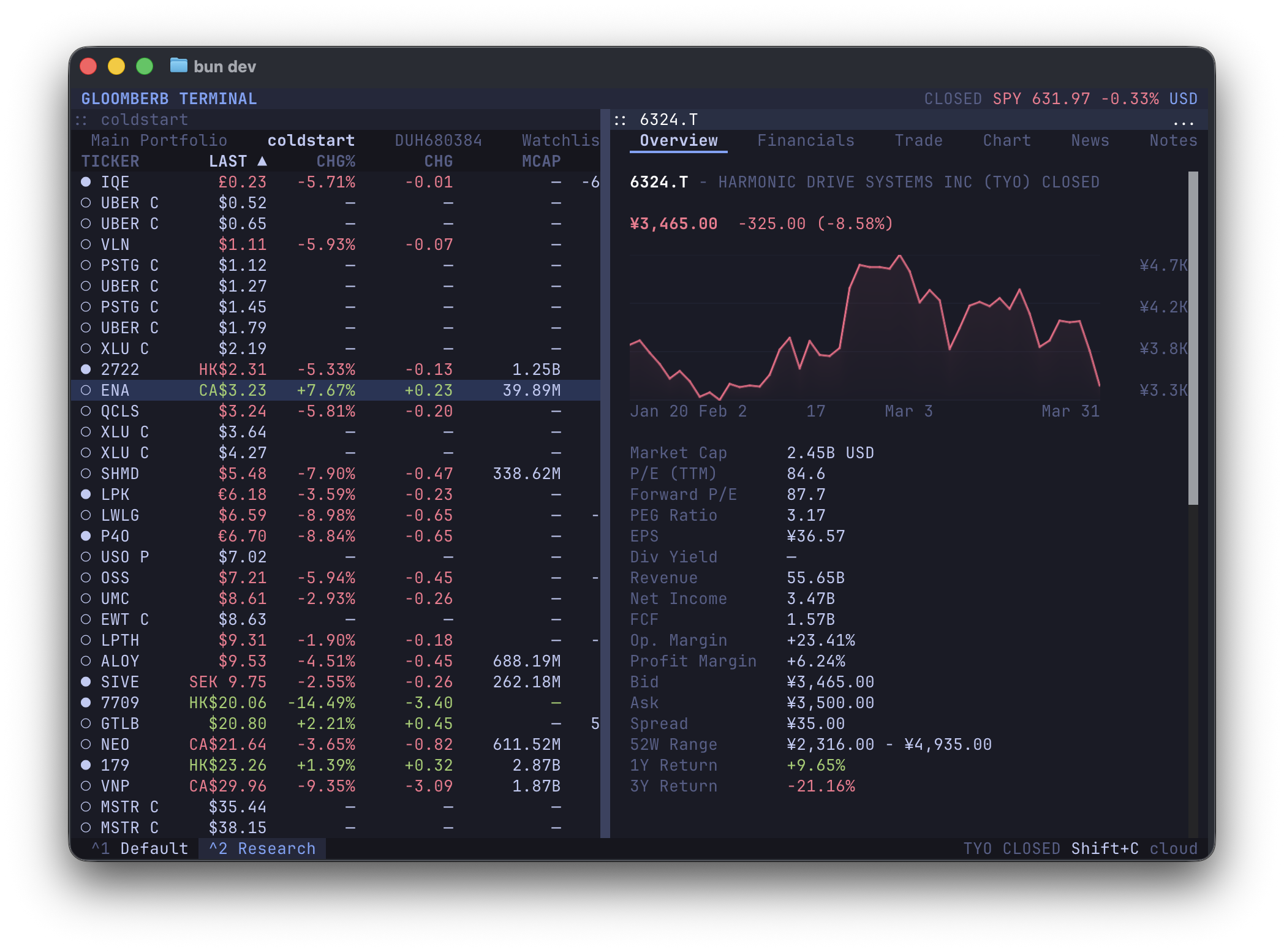
✨ Features
- Track portfolios & trade
- Real-time quotes & fundamentals
- Beautiful high-rez charts
- Fast & keyboard-driven
- Powerful layouts
- Extensible
- 100% local
For the best experience, use a Kitty-compatible terminal such as Ghostty, Kitty or WezTerm.
🚀 Install
curl -fsSL gloomberb.com/install | bash
# or
bun install -g gloomberb
Then run gloomberb.
🧩 Plugins
Everything, from the portfolio list to broker integrations, is a plugin.
Plugins can add tabs, columns, command bar commands, CLI commands, status bar widgets, and more.
See PLUGINS.md for the plugin API and the shared UI surface available through gloomberb/components.
Core plugins
| Plugin | Description |
|---|---|
| Portfolio List | Main ticker list with portfolios & watchlists |
| Ticker Detail | Overview, financials, and chart tabs |
| Gloomberb Cloud | Near-real-time market data, macro calendar, yield curve, and chat |
| Manual Entry | Manually add positions, saved locally |
| IBKR | Import positions from Flex Query or trade with Gateway API |
| News | Ticker and market-wide news from Cloud, Yahoo fallback, and RSS feeds |
| SEC | View recent SEC filings for supported US equities |
| Options | View US equity options chains |
| Notes | Write and save markdown notes, stored locally |
| AI | Keep an Ask AI detail tab for tickers and create prompt-driven AI screener panes |
| Alerts | Create price trigger alerts with desktop notifications |
| Compare Charts | Compare multiple ticker charts overlaid on one shared chart |
| Prediction Markets | Browse Polymarket and Kalshi markets |
| Correlation | Compare ticker return correlations |
| Portfolio Analytics | Sharpe ratio, beta, and sector allocation |
| Insider | View recent insider transactions |
| World Equity Indices | Global equity index monitor grouped by region |
| Market Movers | Gainers, losers, most active, and trending tickers |
| FX Cross Rates | Currency cross-rate matrix for major FX pairs |
| Sector Performance | S&P 500 sector performance via ETF proxies |
| Earnings Calendar | Upcoming earnings dates and estimates |
| Research | Analyst ratings, corporate actions, and relative valuation |
Data providers
| Provider | Description |
|---|---|
| Gloomberb Cloud | Real-time data (recommended, free) |
| Yahoo Finance | Delayed data, rate-limiting |
Broker connectors
| Plugin | Description |
|---|---|
| IBKR | Import positions from Flex Query or trade with Gateway API |
| Manual Entry | Manually add positions, saved locally |
Toggleable plugins can be enabled/disabled from the command bar screen (Ctrl+p).
💻 CLI
Running gloomberb with no arguments launches the terminal UI. Use gloomberb help to see the full command list.
Feature-owned root commands such as portfolio, watchlist, and predictions are registered by their plugins rather than hardcoded in the main CLI switch.
| Command | Use |
|---|---|
gloomberb |
Launch the terminal UI |
gloomberb help |
Show all CLI commands and plugin-owned help |
gloomberb search <query> |
Search tickers and company names |
gloomberb ticker <symbol> |
Show quote, ownership, and financials |
gloomberb portfolio [action] |
List, inspect, create, delete, and manage manual portfolios |
gloomberb watchlist [action] |
List, inspect, create, delete, and manage watchlists |
gloomberb predictions [...] |
Launch the UI with Prediction Markets focused |
gloomberb plugins |
List installed plugins |
gloomberb install <user/repo> |
Install a plugin from GitHub |
gloomberb remove <name> |
Remove an installed plugin |
gloomberb update [name] |
Update plugins |
gloomberb
gloomberb help
gloomberb search NVDA
gloomberb ticker AAPL
gloomberb portfolio list
gloomberb portfolio show Research
gloomberb portfolio create Research
gloomberb portfolio add Research ASML
gloomberb portfolio position set Research NVDA 10 400
gloomberb watchlist list
gloomberb watchlist add Growth NVDA
gloomberb predictions kalshi macro top fed
gloomberb plugins
gloomberb update
Command Bar Shortcuts
Open the command bar with Ctrl+P or `, then type a shortcut or command name.
| Shortcut | Opens |
|---|---|
PF |
Collection Pane |
DES <ticker> |
Ticker Detail |
QQ <ticker> |
Quote Monitor |
CHAT |
New Chat Pane |
IBKR |
New IBKR Trading Pane |
NOTE |
Notes |
AI <prompt> |
AI Screener |
CMP <tickers> |
Comparison Chart |
PM <query> |
Prediction Markets |
CORR <tickers> |
Correlation Matrix |
PORT |
Portfolio Analytics |
ECON |
Economic Calendar |
WEI |
World Equity Indices |
MOST |
Market Movers |
TOP |
Top News |
N |
News Feed |
CN <ticker> |
Ticker News |
NI |
Industry News |
FIRST |
Breaking News |
ALRT |
Alerts |
FXC |
FX Cross Rates |
GC |
Yield Curve |
BI |
Sector Performance |
ERN |
Earnings Calendar |
OMON <ticker> |
Options |
HDS <ticker> |
Holders |
ANR <ticker> |
Analyst Research |
EVT <ticker> |
Corporate Actions |
SEC <ticker> |
SEC Filings |
INS <ticker> |
Insider Activity |
RV <tickers> |
Relative Valuation |
| Shortcut | Command |
|---|---|
GL |
Gridlock all windows |
SA <symbol condition price> |
Add Alert, e.g. SA AMD above 200 |
⌨️ Keyboard Shortcuts
| Key | Action |
|---|---|
Ctrl+P or ` |
Open command bar |
Ctrl+, |
Open focused pane settings |
Ctrl+W |
Close focused pane |
Ctrl+Shift+D |
Dock or float focused pane |
Ctrl+Shift+L |
Layout actions |
Ctrl+Shift+G |
Gridlock all windows |
Tab |
Switch between panels |
j / k |
Navigate ticker list |
h / l |
Switch tabs |
m |
Cycle chart mode in the chart tab |
q |
Quit |
Desktop builds also accept the matching Cmd shortcuts on macOS, plus Cmd/Ctrl+Shift+O to pop out a pane.
License
MIT
Credits
- OpenTUI for the layout